
aesthetic background
aestheticaArt & Design
4.6374.00 Reviews
- Version
- 13.3.0
- Installs
- 10.00M
- Age Rating
- Everyone
Screenshots



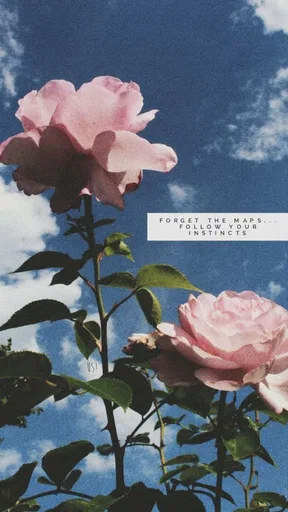


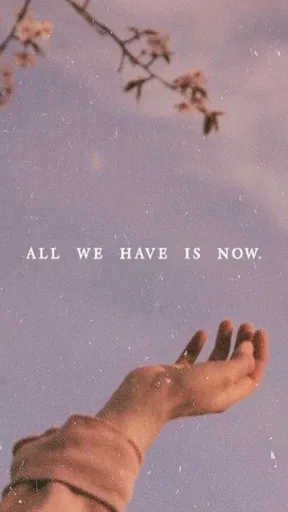

Our Review of aesthetic background
 Analysis by Appyee
I usually judge a wallpaper app by a simple question: does it help me find a background I genuinely want to keep, or does it merely give me another catalog to scroll through? aesthetic background is aimed at the first kind of user. It is a free Art & Design app from aesthetica, built around attractive visual backgrounds rather than broad customization tools or a full design workspace.
That focus matters. If you want a quick way to refresh the look of an Android phone, the app is easy to understand and approachable. It is rated for Everyone, works on devices running Android 6.0 or later, and its current version is 13.3.0. I also found its scale reassuring: a 4.6 average from around 30 thousand ratings and over 10 million installs suggests that it has reached far beyond a small group of wallpaper enthusiasts.
Still, popularity does not automatically make an app right for every person. My experience is that this is best considered a visual discovery tool, not an all-purpose home-screen editor. The right choice depends on whether you value a curated aesthetic more than deep controls, personal photo tools, or a huge range of unrelated wallpaper styles.
How I would decide whether it fits
Before installing any wallpaper app, I think about the job I want it to perform. There are several different jobs hidden behind the word “wallpaper.” One person wants a calm image that makes icons easier to read. Another wants a matching lock screen and home screen. Someone else wants to use a personal photograph, crop it precisely, and add effects. A fourth user wants a new visual theme every day without spending time searching.
aesthetic background makes the most sense for the last two needs only when the second need is about visual inspiration rather than detailed editing. Its store summary promises stunning aesthetic wallpapers, and that description points to the app’s central strength: choosing a mood. I approached it less like a file manager and more like a shelf of ready-to-use visual ideas.
My first decision criterion is browsing friction. A wallpaper collection can contain beautiful images and still be unpleasant if finding a suitable one takes too long. With an aesthetic-focused app, I expect the visual presentation to do much of the work. I can quickly ask myself whether the available styles suit my phone, my icons, and my current mood. That is more useful than downloading attractive images that become distracting once they sit behind everyday apps.
The second criterion is restraint. A background is successful when it supports the interface instead of competing with it. Very detailed images can make notification text and app labels harder to scan. Bright patterns can also make a phone feel tiring after repeated use. I recommend looking beyond the first image that catches your eye and testing whether the quieter choices would work better during an entire day.
The third criterion is control. This is where expectations need to stay realistic. An app centered on aesthetic backgrounds is not automatically a replacement for a dedicated photo editor, launcher, or theme engine. If your decision depends on advanced cropping, layered composition, animated effects, or precise color matching, you should treat those as separate requirements rather than assume the wallpaper catalog will cover them.
What the focused approach gets right
The strongest reason to choose this app is that it narrows the search to a recognizable visual direction. Many wallpaper services mix landscapes, sports, illustrations, abstract art, celebrities, memes, and random phone backgrounds in one stream. That variety can be useful, but it also creates decision fatigue. Here, the aesthetic identity is the point, so the app is more appealing to someone who wants a coherent look instead of an endless general-purpose archive.
I especially like this approach for people who treat their phone as part of their personal style. A soft background can make a minimal launcher feel intentional, while a stronger graphic can give a plain home screen more character. The wallpaper becomes a starting point for arranging widgets, icons, and shortcuts rather than an isolated picture.
There is also a practical advantage for people who change their minds often. Instead of designing a background from scratch, I can browse until a particular color family or mood feels right. That makes the app useful when I want a small refresh before a trip, a new school term, a change of season, or simply a break from looking at the same screen every day.
A less obvious benefit is that aesthetic browsing can help reveal what kind of background I actually need. I may begin by looking for something dramatic, then notice that the images I keep returning to have open space around the center. That tells me my icons need breathing room. In this way, the app can function as a visual test: I learn whether I prefer low-contrast, centered, colorful, or spacious designs before committing to one.
Three practical ways I would use it
My first workflow would be a readability check. I would choose a few candidates, apply them one at a time, and look at the home screen in normal lighting rather than judging only inside the app. I would open the notification shade, check folders, and view the lock screen. A wallpaper that looks impressive in a preview may be too busy behind small labels. This simple test prevents a common mistake: choosing for the image alone instead of for the complete phone interface.
My second workflow would be to separate mood from function. I might use a more expressive image on the lock screen, where there are fewer icons, and a calmer one on the home screen. Whether the phone permits both choices depends on the device and its Android interface, but the principle is useful even when the system treats them together: prioritize legibility where you interact most often.
My third workflow would be seasonal rotation without overdoing it. Rather than changing the background every few hours, I would save a small personal shortlist of images that work with my icons and revisit it occasionally. This keeps the phone feeling fresh while avoiding the endless-search trap. The app is most valuable when it helps me make a good choice, not when it turns choosing into a daily chore.
Where the app is less convincing
The same focus that makes the catalog approachable can feel limiting if you want complete control. I would not choose it as my main tool for turning a family photo into a polished wallpaper, building a collage, or creating a background around a specific quote or brand color. A general image editor is better for those jobs because the creative process starts with your own material.
I would also be cautious if my priority is a highly technical setup. Users who want launcher-specific icon packs, elaborate widgets, live motion backgrounds, or a unified theme across every system screen may prefer a launcher or customization suite. A wallpaper app can improve the visual foundation, but it does not replace the rest of that ecosystem.
Another trade-off is personal taste. “Aesthetic” is a broad label, and one person’s calm minimalism is another person’s blandness. If you want a very specific subject, such as a particular sports team, a precise game character, or a rare photographic location, a specialized collection or image search tool may get you there faster. The app’s value is strongest when you are open to discovering a look rather than arriving with one exact image in mind.
There is also the issue of long-term novelty. A wallpaper catalog can feel exciting during the first browsing session, then less useful once I have already found a background that works. That does not make the app poor; it means its usefulness may be occasional rather than constant. I would install it for visual refreshes, not because I expect to interact with it every day.
How it compares with the usual alternatives
Compared with a phone’s built-in wallpaper picker, aesthetic background offers a more deliberate visual direction. The built-in option is convenient and usually integrated smoothly with the device, but it may not help much when I want inspiration. The dedicated app is the better first stop when the problem is “I do not know what style I want.” The system picker remains the better final step if I already have an image stored on the phone and only need to apply it.
Compared with a photo editor, the difference is even clearer. An editor gives me control over an image I already own: cropping, adjusting, combining, or preparing it for a particular screen. aesthetic background is more useful before that stage, when I want a ready-made visual direction. I would use the two categories together only if I found an image worth adapting and needed more control afterward.
Compared with a launcher or full customization suite, this app is simpler and less disruptive. A launcher can change navigation, icon placement, gestures, widgets, and the overall home-screen behavior. That is powerful, but it also creates more settings to learn and more chances for the phone to feel unlike itself. A wallpaper-only change has a lower switching cost and is easier to reverse, which is a meaningful advantage for cautious users.
Compared with a broad wallpaper archive, the aesthetic focus is both the attraction and the limitation. A broad archive is better when I want maximum subject variety. This app is better when I want the search itself to feel visually consistent. I would choose based on whether I am hunting for a category or a feeling.
What switching actually involves
Changing a wallpaper is usually a low-commitment customization decision, but there are still small costs worth considering. I may need to rearrange icons if a new image has a busy area in the wrong place. A darker background can make some widget designs look better, while a pale one may expose icon colors I had not noticed before. The image is not separate from the layout; it changes how the whole screen reads.
That is why I recommend taking a screenshot of the current home screen before experimenting, especially if the phone’s launcher makes rearrangement easy to trigger accidentally. I would also check the lock screen separately, because a visually attractive image can be less practical when it sits behind a large clock or notification panel.
The free price lowers the risk of trying it. I can explore the app without treating the decision as a purchase, and the Everyone rating makes it suitable for a broad household audience. I would still avoid installing it solely because a friend likes one particular image. A wallpaper’s success depends heavily on the phone model, icon arrangement, widgets, and personal tolerance for visual noise.
For someone moving from a built-in picker, the transition should be straightforward in principle: browse for a suitable background, preview it in context, and apply it through the available workflow. The important habit is not to confuse a good catalog preview with a good daily background. Give each candidate a few minutes on the actual home screen before deciding.
Who should choose it, and who should skip it
I would recommend aesthetic background to Android users who want a quick visual reset, enjoy curated-looking imagery, and do not need a full design toolkit. It is particularly suitable for students, casual phone customizers, and anyone who wants their home screen to feel more considered without changing the launcher or learning an editor.
It is also a sensible choice for someone who has no personal image library worth using. Instead of searching through old photos or downloading random pictures from elsewhere, that user can begin with a collection designed around attractive backgrounds and see what fits.
I would skip it as a primary solution if I need exact control over composition, a background made from my own photographs, or a complete system-wide theme. In those cases, a photo editor, launcher, or broader customization tool is a better match. I would also skip it if I am perfectly happy with my current wallpaper and rarely change it; an additional catalog may simply add another app I do not open.
My recommendation after using it
My final view is positive, but deliberately specific. aesthetic background is not valuable because every phone needs constant decoration. It is valuable because it makes one particular decision easier: finding an attractive, style-led background without starting from a blank canvas. The free model and broad compatibility make it easy to test, while the 4.6 average and over 10 million installs show that it has become a familiar choice for many Android users.
I would install it when I wanted a cleaner or more expressive home screen and was willing to browse by mood. I would compare it with a built-in picker before making a final choice, then use a photo editor or launcher only if the wallpaper alone did not solve the problem. That keeps the process practical instead of turning a small visual change into a full customization project.
My clear recommendation: try it if your priority is discovering attractive aesthetic backgrounds quickly, especially when you want a low-effort refresh. Keep your expectations focused on wallpapers, test images behind your real icons and widgets, and move to a more specialized alternative when you need editing, personal photos, or deeper control. For the right user, that focused experience is exactly what makes it worth keeping.
Verdict
Strengths of aesthetic background
- Offers stylish backgrounds for enhancing photos and social posts.
- Simple interface makes browsing and applying designs quick.
- Useful for users seeking a polished aesthetic theme.
- Provides creative inspiration for wallpapers and visual projects.
- Lightweight concept is easy to understand for casual users.
Limitations of aesthetic background
- Some designs may feel repetitive after extended use.
- Image quality can vary between individual backgrounds.
- Certain content may require an internet connection to load.
- The app may offer limited editing beyond selecting a background.
- Ads or premium items could interrupt browsing for some users.
Similar Picks in This Category
View All
Canva: AI Photo & Video Editor
Canva4.8

PENUP – Drawing-sharing SNS
Samsung Electronics Co., Ltd.4.5

Crafto
Kutumb App4.6

Sketchbook
Sketchbook4.1

ibis Paint X
ibis inc.4.5

Adobe Express: AI Photo, Video
Adobe4.6
Frequently Asked Questions
What is Aesthetic Background, and what can I use it for?
Aesthetic Background is a wallpaper app designed for users who want to personalize their Android or iPhone with visually appealing images. It typically includes collections such as pastel, vintage, minimalist, nature, dark, cute, and artistic designs. After browsing the categories, you can preview an image, save it to your device, or apply it as your home screen, lock screen, or both, depending on your phone’s settings.
Does Aesthetic Background offer wallpapers for both Android and iOS devices?
The app is intended for mobile users, but the exact availability and supported features may vary between Android and iOS versions. Before downloading, check the relevant Google Play Store or App Store listing for compatibility information, supported screen sizes, and the latest update details. Some functions, such as directly applying a wallpaper, may work differently depending on the operating system and device model.
Is Aesthetic Background free to download and use?
Aesthetic Background may be available as a free download, allowing users to browse and save at least part of its wallpaper collection without paying upfront. However, some versions of wallpaper apps include advertisements, premium collections, subscriptions, or optional in-app purchases. It is worth reviewing the store listing and purchase details before downloading, especially if you want access to the complete catalog or an ad-free experience.
Can I save high-quality aesthetic wallpapers to my phone?
The app generally focuses on providing attractive backgrounds that can be saved for personal use, but image quality can differ from one wallpaper to another. Some files may be optimized for particular screen resolutions, while others may appear less sharp on larger or high-resolution displays. Check the preview carefully before saving, and make sure the app has permission to access photos or media if your device requests it.
Does Aesthetic Background require internet access or special permissions?
An internet connection may be required when browsing newly added wallpapers, loading image previews, or downloading content from the app’s online library. Previously saved images may remain available in your phone’s gallery without a connection. Depending on the platform, the app could request access to photos, media, or storage so it can save wallpapers. Review each permission request and deny anything that seems unrelated to its main function.
